
How to Migrate from VMware to Proxmox VE: The Complete Guide (2026)
Since Broadcom took over VMware, perpetual licenses are gone, everything is subscription and bundled, and renewal quotes for SMB and mid-market teams have jumped several-fold — for the same hypervisor you already run. This guide is the realistic migration path to Proxmox VE: what moves as-is, what needs preparation, where teams get hurt, and — honestly — when staying on VMware is the right call.
Since Broadcom took over VMware, perpetual licenses are gone, everything is subscription and bundled, and renewal quotes for SMB and mid-market teams have jumped several-fold — for the same hypervisor you already run. This guide is the realistic migration path to Proxmox VE: what moves as-is, what needs preparation, where teams get hurt, and — honestly — when staying on VMware is the right call.
The short version: your VMs move without a rewrite, the built-in import wizard does most of the work, and a staged migration keeps downtime to minutes per VM. The work is in the planning, not the copying.
Why teams are leaving VMware now
Nothing broke technically. VMware vSphere remains excellent software — that is worth saying out loud. What broke is the commercial model: per-core subscriptions, bundles you did not ask for, and renewals that arrive at three to five times the previous bill. For a mid-market estate of a few dozen VMs, virtualization went from a line item to a budget discussion.
Proxmox VE does the same core job — KVM virtualization, live migration, high availability, software-defined storage (ZFS/Ceph), integrated backup — on open source. The typical result for SMB and mid-market estates is a total cost of ownership drop of up to 40%. We compare the two feature by feature on our Managed Proxmox page; this guide is about the how.
Step 0 — Inventory before anything else
Every painful migration we have seen skipped this step. Before touching anything:
- List every VM: OS, vCPU/RAM/disk, criticality, owner. Export the list from vCenter — do not trust memory.
- Map storage and networking: datastores, vSwitches, VLANs, any vSAN specifics. Proxmox will want an equivalent target (ZFS for single nodes, Ceph for clusters).
- Flag the special cases: VMs with GPU/USB passthrough, appliances licensed to hardware IDs, anything clinging to VMware Tools.
- Verify your backups restore. You will not need them if the migration is staged properly — which is exactly when it is safe to verify them.
- Decide the target: your own hardware, colocation, or a managed cluster. This decides everything downstream, from storage design to who is on call.
The migration path, phase by phase
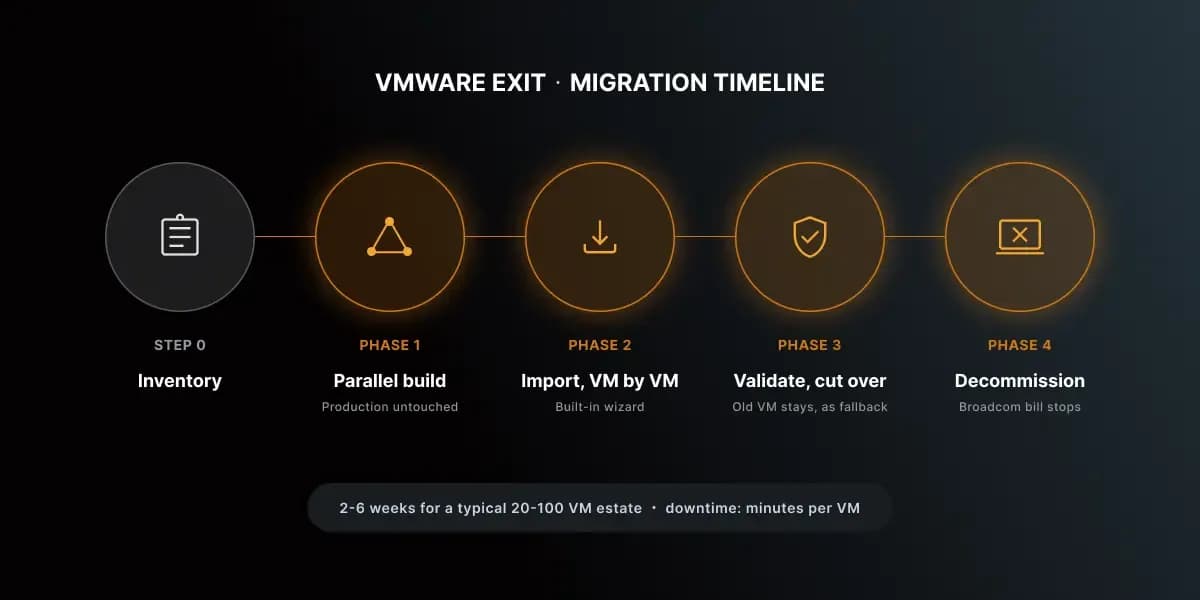
Phase 1 — Parallel build (no risk to production)
A Proxmox VE cluster is stood up alongside your VMware environment — production stays untouched. Storage is designed to match your workloads (ZFS or Ceph), networking mirrors your VLANs, and the backup target (Proxmox Backup Server) is wired in from day one. Size the cluster for the real inventory from Step 0, not for the marketing sheet.
Phase 2 — Import, VM by VM
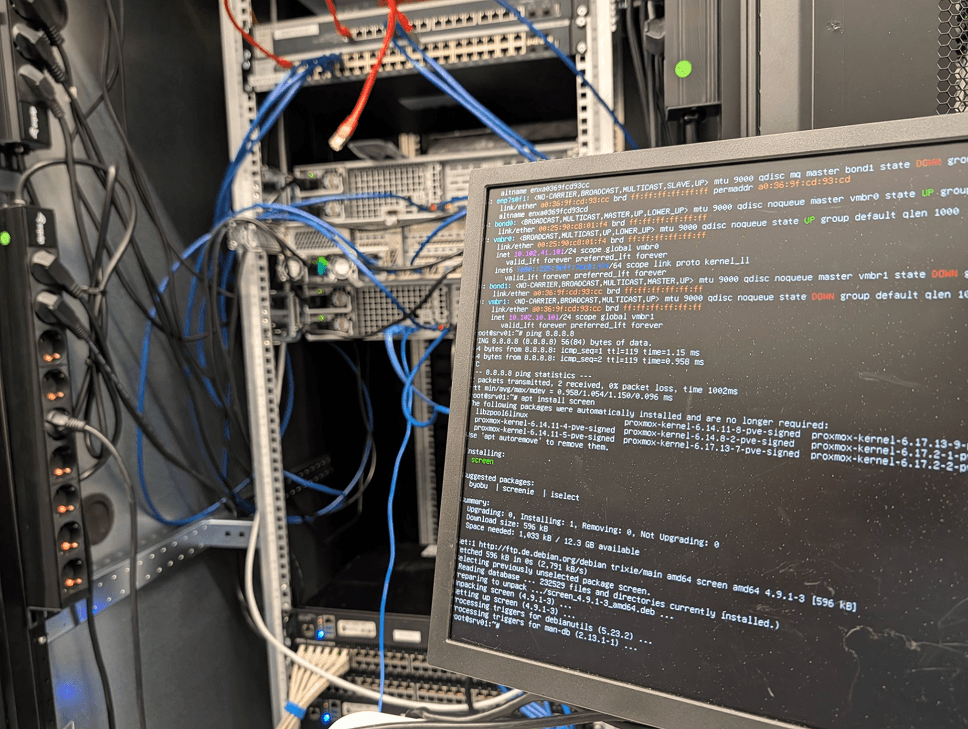
Since Proxmox VE 8.2 there is a built-in ESXi import wizard; on current Proxmox VE 9 it is the default path. You add the ESXi host as an import source, pick a VM, map disks and networks, and import. There is even a live-import mode: stop the VM on ESXi, start it on Proxmox immediately, and the disk data streams over on demand.
The practical order that works: start with the least critical VMs, learn your per-VM routine, then work up the criticality ladder. Two OS-specific notes:
- Windows VMs: install the VirtIO drivers before switching the disk and NIC to VirtIO — or boot the first time in compatibility mode (SATA/e1000) and switch after. Uninstall VMware Tools once the VM runs on Proxmox, not before the final sync.
- Linux VMs: usually boot unchanged. Check /etc/fstab for datastore-specific mounts and remove open-vm-tools afterwards.
Phase 3 — Validate, then cut over
Each imported VM gets validated before it takes production traffic: boot, services, network reachability, performance against the baseline you recorded in Step 0. Keep MAC addresses where the software licensing depends on them. The old VMware VM stays powered off — not deleted — as an instant fallback.
Phase 4 — Decommission and stop paying
Only when every workload has run clean on Proxmox for an agreed period — we recommend 30 days — do you decommission VMware. That is the day the Broadcom renewal stops being your problem.
The honest word on "zero downtime"
Staged correctly, users experience zero downtime: services move one at a time, outside business hours, with the old side as fallback. Per VM, expect a short final-sync window — minutes for most workloads, longer for large databases where you should plan a proper maintenance window. The one thing that decides how smooth this gets is the network: if the Proxmox cluster can announce your VMs’ existing IP addresses — straightforward within the same L2/broadcast domain, more challenging across L3 boundaries or EVPN setups — your VMs keep their addresses and nobody notices the move. If it cannot, every cutover needs re-addressing or DNS changes, and that is where the real planning effort lives. Anyone promising a large estate migrated with literally zero seconds of switchover anywhere is selling something.
Six pitfalls that cause the 2 a.m. calls
1. VirtIO drivers missing on Windows. The classic. The VM imports fine and then blue-screens on first boot with VirtIO disks. Install drivers first, or boot in compatibility mode.
2. Snapshots do not migrate. Consolidate or delete VMware snapshots before export — imports of snapshotted VMs are where corruption stories come from.
3. MAC addresses and licensing. Some software licenses bind to the NIC MAC. Carry the MAC over, or plan a re-licensing step.
4. Network planning left for last. The biggest one. Whether VMs keep their existing IPs depends on whether the Proxmox cluster can announce them — easy in the same L2/broadcast domain, genuinely hard across L3 or EVPN setups. Mirror the VLANs and answer the IP question in Phase 1, not during the cutover night. For VMs with public IPs that must survive a migration between nodes, see how we route them with BGP, FRR and NetBox.
5. Backup gap. The day a VM moves, your old backup job stops covering it. Proxmox Backup Server must be running from Phase 1, not added later.
6. Performance assumptions. KVM is not slower than ESXi — but different storage design can be. Benchmark the new stack with a real workload before the critical VMs move.
When staying on VMware is the right call
We are not here to talk you off a platform that fits. Stay if:
- Your renewal is locked at pre-Broadcom rates for years to come — the pressure is off until it is not.
- You depend on deep VMware-ecosystem features (NSX at scale, SRM, vendor appliances certified only for ESXi).
- Your team has zero capacity for any migration this year — a rushed migration costs more than an expensive renewal.
The math flips when the renewal lands, when per-core pricing punishes your growth, or when you want the exit option that open source gives you. For most SMB and mid-market estates we have moved, it flipped at the first Broadcom quote.
DIY or managed?
Everything above is doable in-house with a capable team — that is why we wrote it down. The alternative: we assess, migrate and validate your estate off VMware — including the network design that lets your VMs keep their IPs — and then run the Proxmox cluster 24/7 in our Frankfurt data center — patches, upgrades, SLA. The migration itself is free with an annual managed contract. If you want to check the numbers first: talk to an engineer, 30 minutes, no sales pitch. Send us your VMware setup and renewal quote, and we will tell you honestly what a migration would save and what it would take.
Frequently Asked Questions
How long does a VMware-to-Proxmox migration take?
For a typical SMB estate (20–100 VMs): two to six weeks end to end, staged. The calendar time is mostly validation, not copying.
Will my Windows VMs survive the move?
Yes — Windows and Linux VMs move as-is, no rewrite. Windows needs VirtIO drivers installed before or during the switch; that is the one step you must not skip.
Do I need new licenses for Proxmox VE?
The software is open source with no per-socket or per-core fees. Optional enterprise support subscriptions exist; they cost a fraction of a Broadcom renewal.
What happens to vSAN?
Proxmox replaces it with ZFS (single node) or Ceph (cluster) — both integrated. Your data moves with the VM disks during import; the storage architecture is designed in Phase 1.
What if something goes wrong mid-migration?
The staged model means the old VMware VM is always there, powered off, as fallback. You switch back per VM in minutes — that is the whole point of running both sides in parallel.
Have questions about this topic?
Our experts are happy to advise you on your individual strategy.
Schedule a consultation